

MoEngage X Xeno
This integration enables a real-time outbound data flow from Xeno Loyalty to MoEngage, allowing you to synchronize crucial loyalty and order events in real time. By connecting Xeno to MoEngage, you can use loyalty data triggers to orchestrate targeted retention, reward, and engagement campaigns.The Xeno Loyalty integration is built and maintained by Xeno. For customization requests or issues specific to the Xeno connector’s behavior, reach out directly to Xeno support.
Use Cases
Integrating Xeno Loyalty with MoEngage helps you address the following use cases:- Loyalty tier upgrade celebrations: Automatically trigger a congratulatory omnichannel campaign in MoEngage when a Tier Upgrade event occurs.
- Points redemption reminders: Use Earn Points and Redeem Points events to identify customers with high balances and remind them to redeem rewards before expiration.
- Post-purchase engagement loop: Transition customers into a post-purchase journey in MoEngage after a New Order event is received.
- Win-back campaigns on returns: Trigger specialized retention campaigns when a Return Order event flows from Xeno.
Key Features
The Xeno Loyalty integration delivers the following core capabilities within MoEngage:- Order tracking: Capture New Order and Return Order events to enroll customers in post-purchase journeys or launch win-back campaigns.
- Points management: Respond to Earn Points and Redeem Points events with real-time balance updates and motivational nudges.
- Tier progression: Celebrate Tier Upgrade events with automated campaigns or respond to Tier Downgrade events with re-engagement flows.
- Precision segmentation: Build dynamic cohorts such as “recent point earners” or “VIPs” using live Xeno event data.
- Performance attribution: Correlate MoEngage conversion analytics with Xeno events to measure direct revenue impact.
Supported Synchronization Types and Events
The tables below outline the data models and real-time behavioral events synchronized from Xeno Loyalty:
Supported event mappings sent to MoEngage in real time:
Integration
PrerequisitesAn active Xeno Loyalty account with integration access enabled.
Step 1: Obtain MoEngage Authentication Credentials and Endpoint
To retrieve the necessary credentials from your MoEngage workspace, perform the following steps:- Sign in to the MoEngage UI.
- In the left navigation pane, go to Settings > Account > APIs.
- Locate and copy the following credentials:
- Workspace ID: The unique identifier found under the Workspace ID section.
- Data API Key: The security token found in the API Keys block.
Step 2: Get Your Dedicated MoEngage Endpoint
To configure real-time data streaming, request your custom endpoint:- Contact the MoEngage Support team and request a dedicated webhook endpoint URL for the Xeno Loyalty integration.
- Share your copied Workspace ID and active data center region (for example, DC-01, DC-02).
The endpoint URL is specific to your data center.
Step 3: Configure the MoEngage Connection in Xeno
After you have your endpoint URL and credentials, configure the connection inside Xeno:-
In your Xeno account, navigate to the Tools > Webhooks section on the left navigation pane.
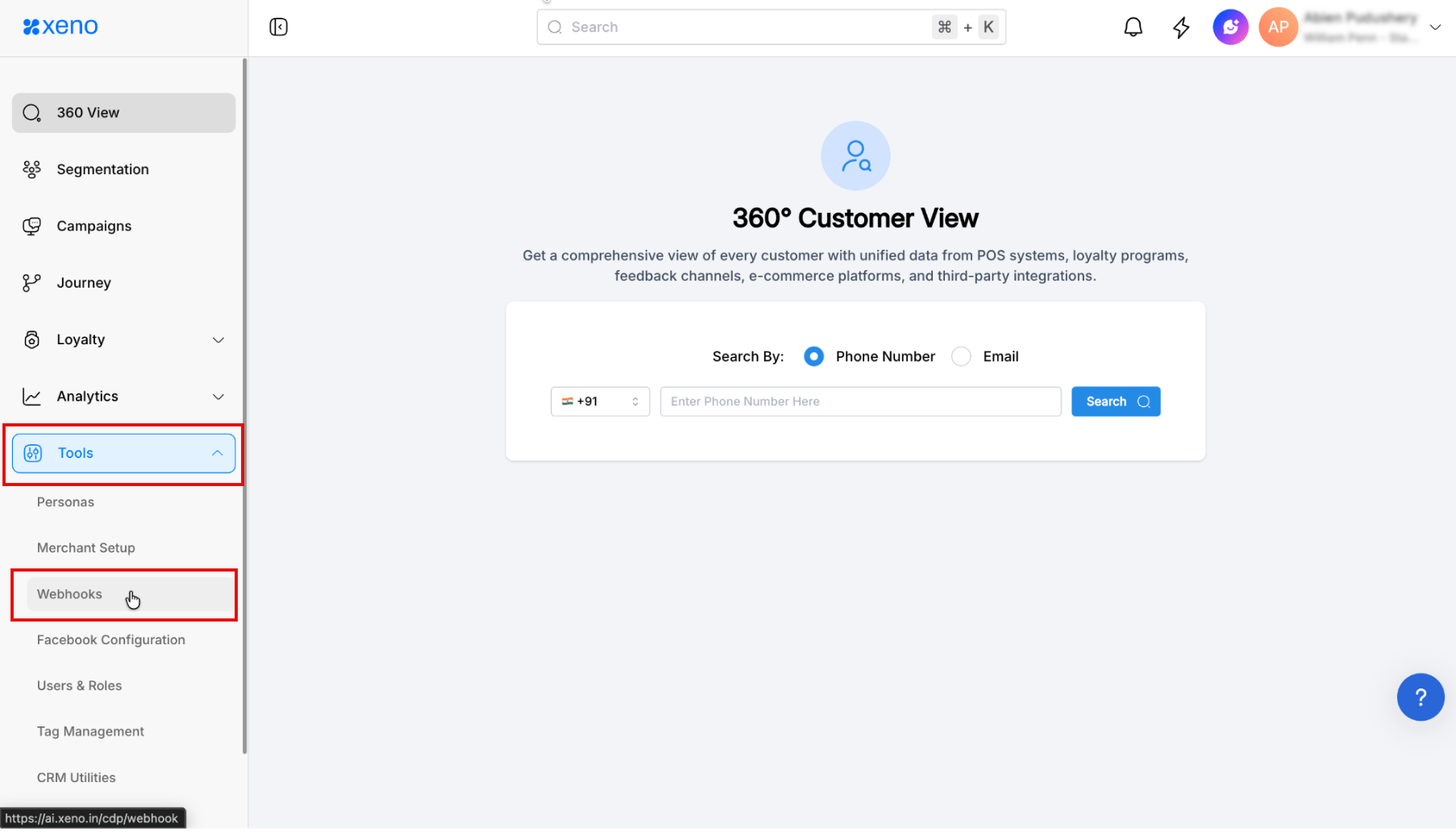
- Click + Add Webhook to open the configuration panel.
-
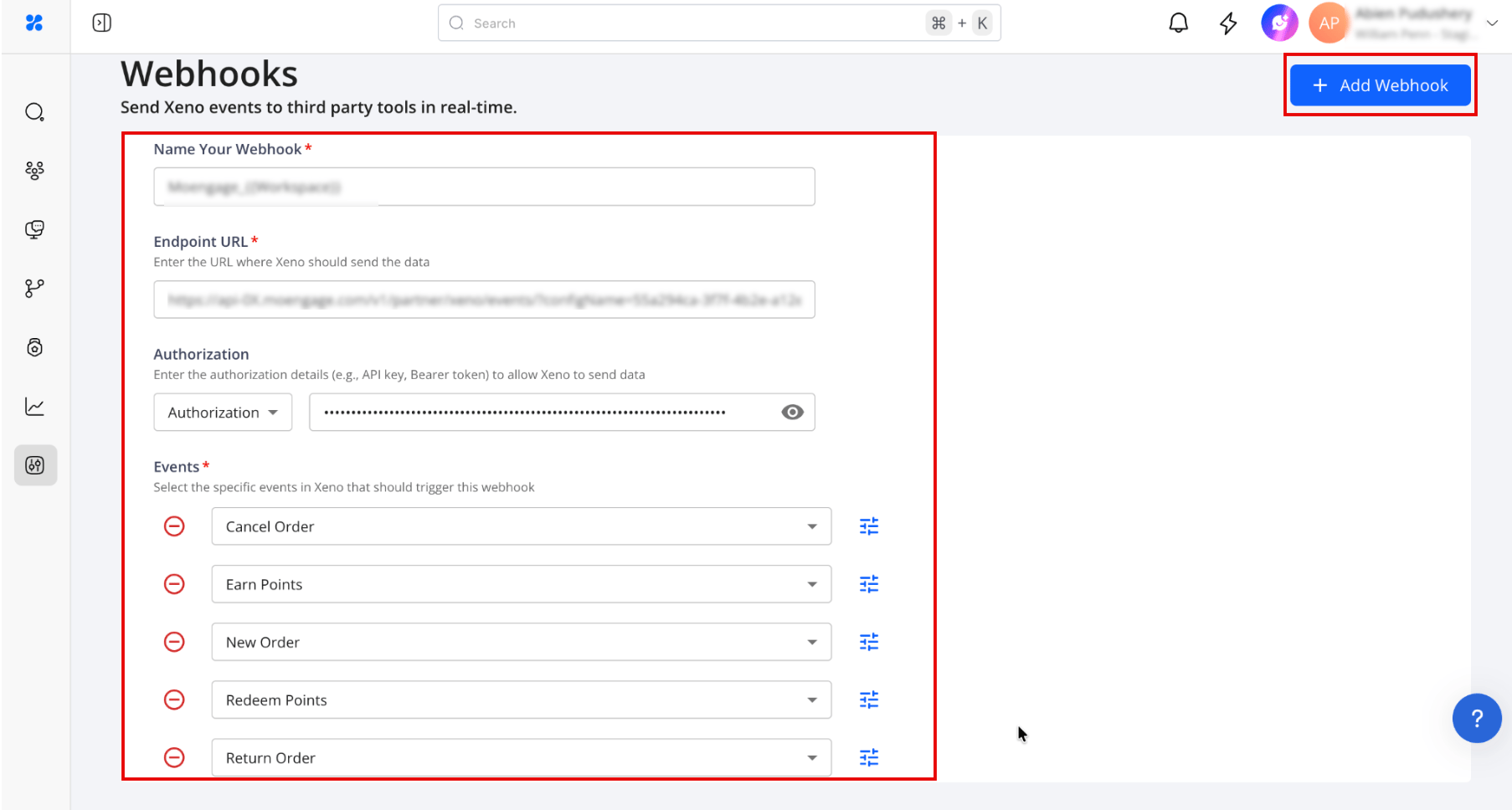
Enter the following details in the webhook fields:
-
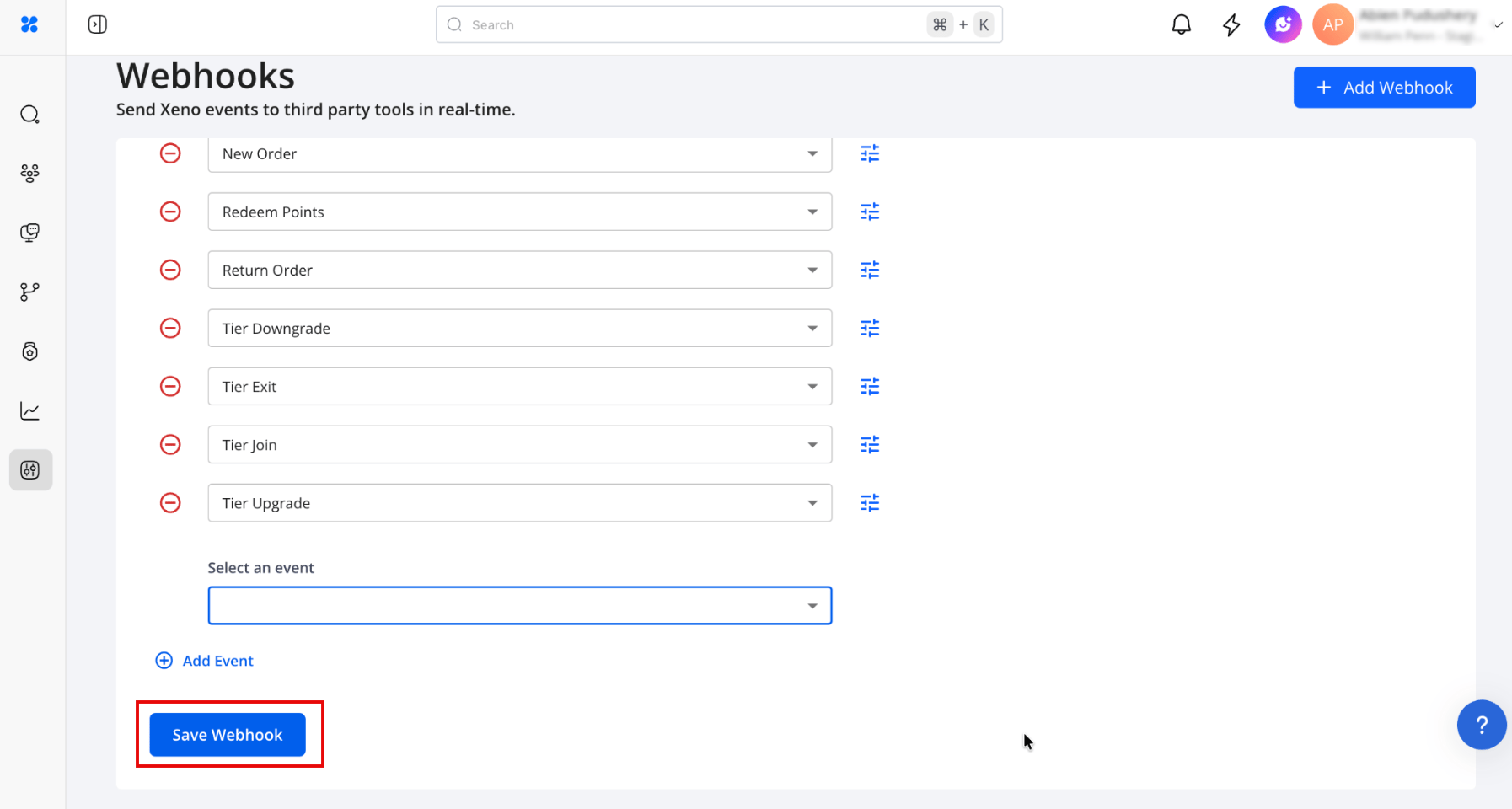
Under the Events checklist, select the specific events that should be synchronized to your MoEngage workspace.
-
Click Save Webhook to activate the integration.
Step 4: Verify Events in MoEngage
To confirm that events are successfully arriving in your workspace:- In the MoEngage UI, go to Segment > Search Users.
- Search for a test user by phone number.
- Verify that user profile records appear with the expected attributes, such as loyalty points and tier name.